First web app · 2025
Philippsburger
An ordering website, a chef's view and a live pantry - built for one birthday party.
- 20guests
- 1wish
- 50burgers
How it started
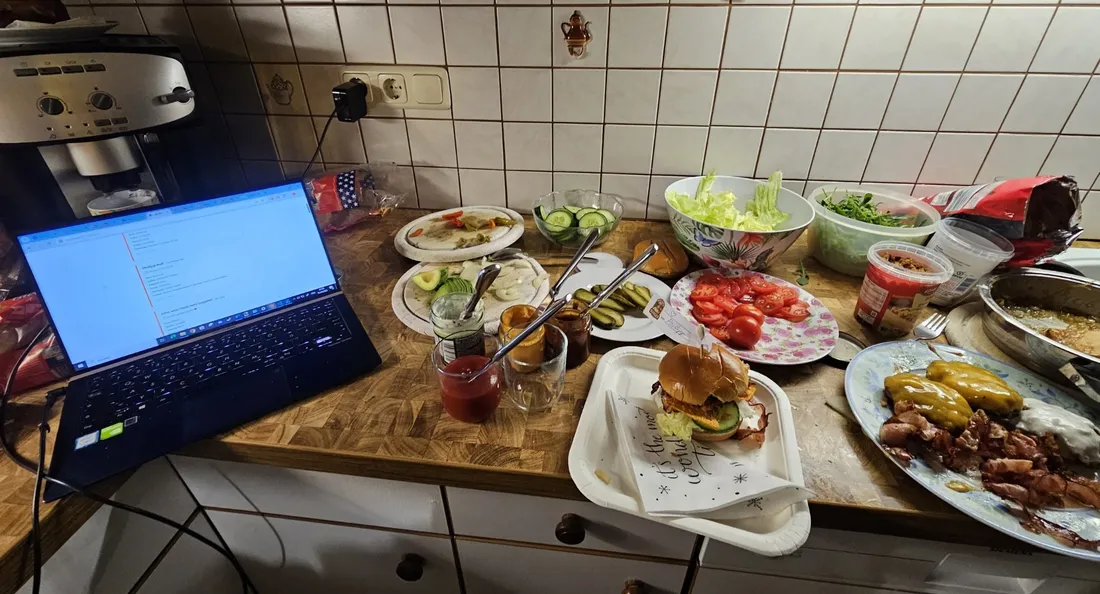
My brother's 18th birthday. 20 people, one wish: his sister makes her iconic smash burgers.
I didn't just end up making 50 burgers. I also built an ordering website, a chef's view and an interactive pantry for the evening. The guests ordered from their phones, I cooked from the screen.
This was the start of my "need it → build it" mentality.
The screens
Four views, one evening
All four are live as demo pages. Click around, nothing gets cooked.
Bestellseite
Order page
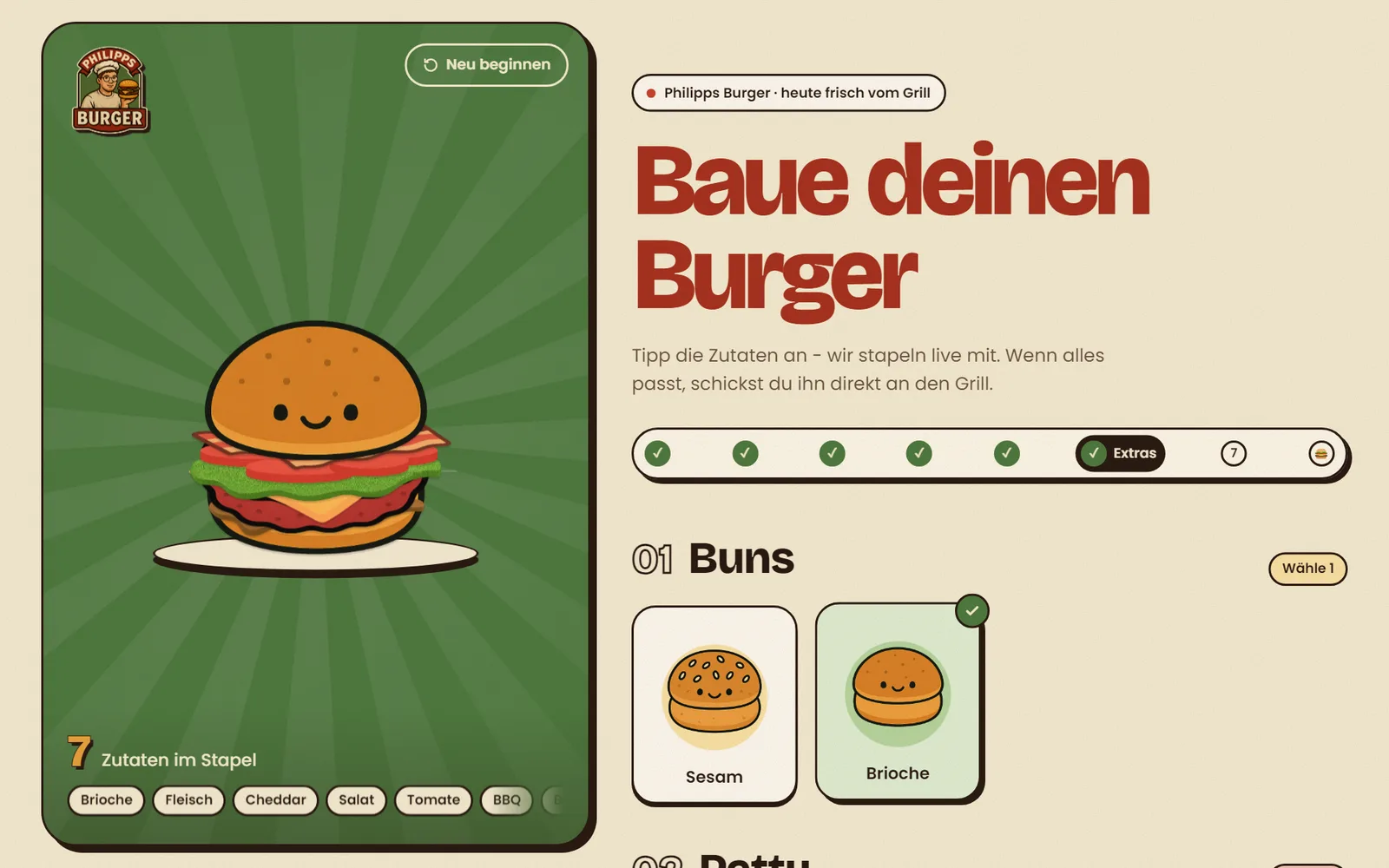
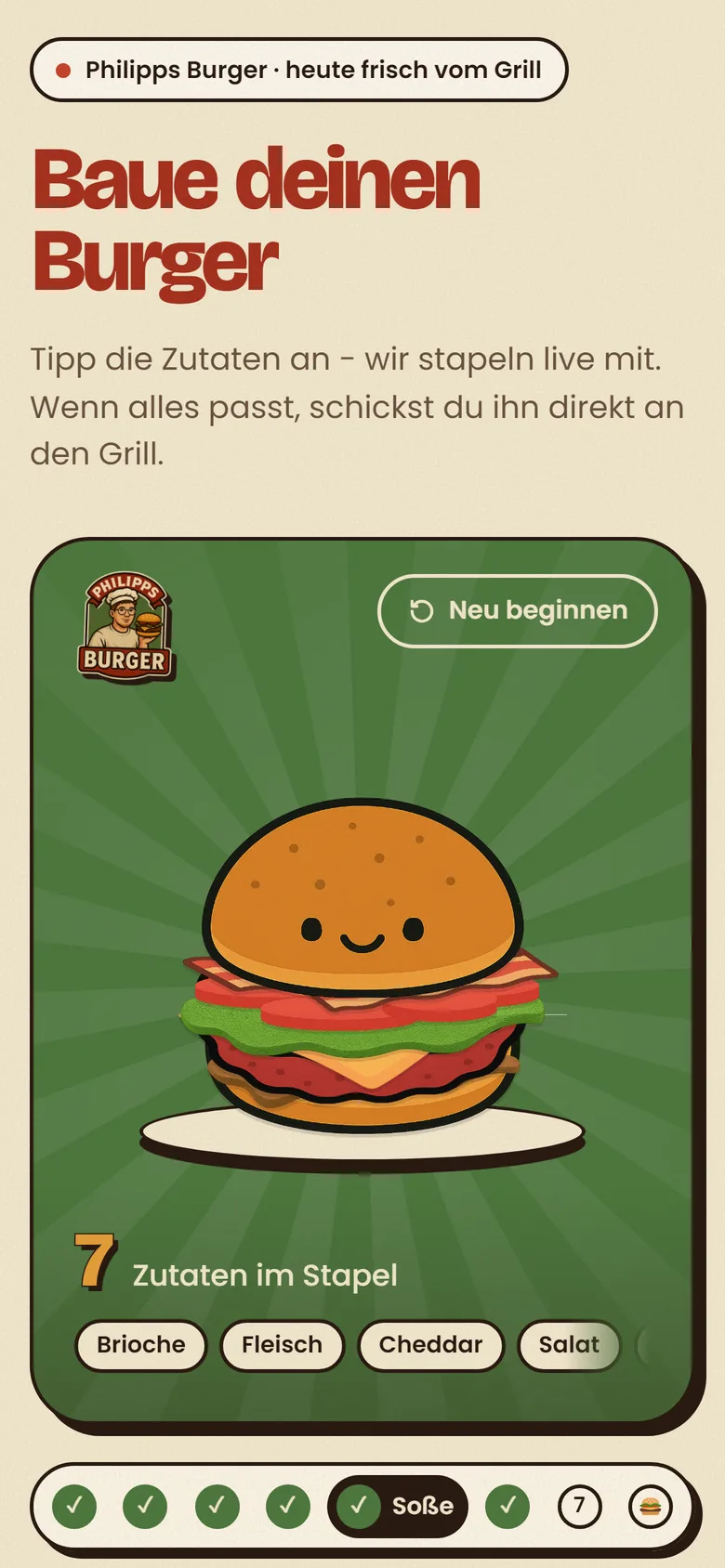
Guests open it on their phone, tap their ingredients and watch the burger stack up live. Give it a name, add a wish like "no onions" and send it to the grill. Anything that has run out is greyed out.
Live at philippsburger.web.app (opens in a new tab)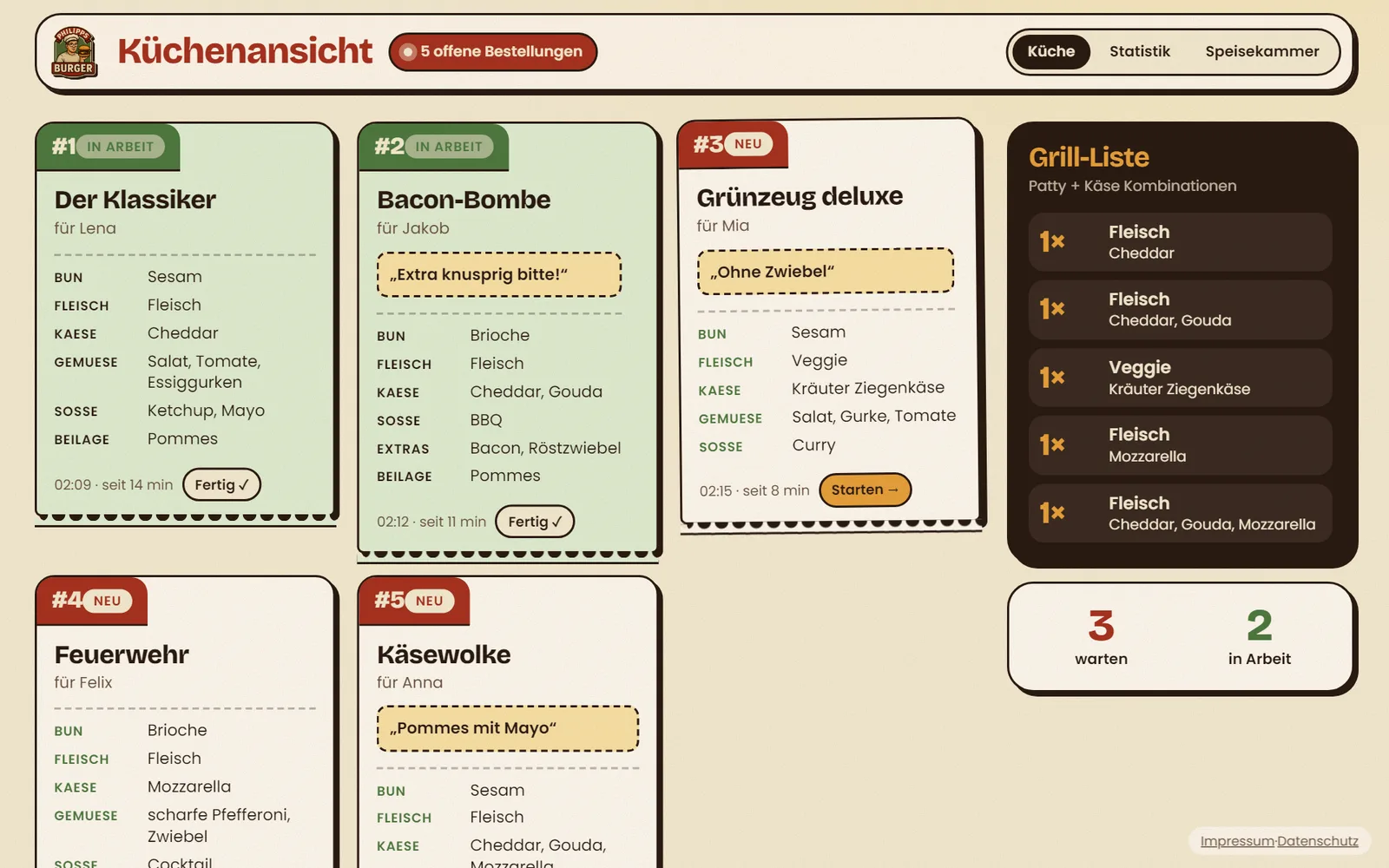
Kuchl
Chef's view
New orders pop up in real time, oldest first. One tap starts a burger, the next marks it done. The grill list adds up which patty and cheese combinations are coming, so the right patties go on in time.
Live at philippsburger.web.app/kuchl (opens in a new tab)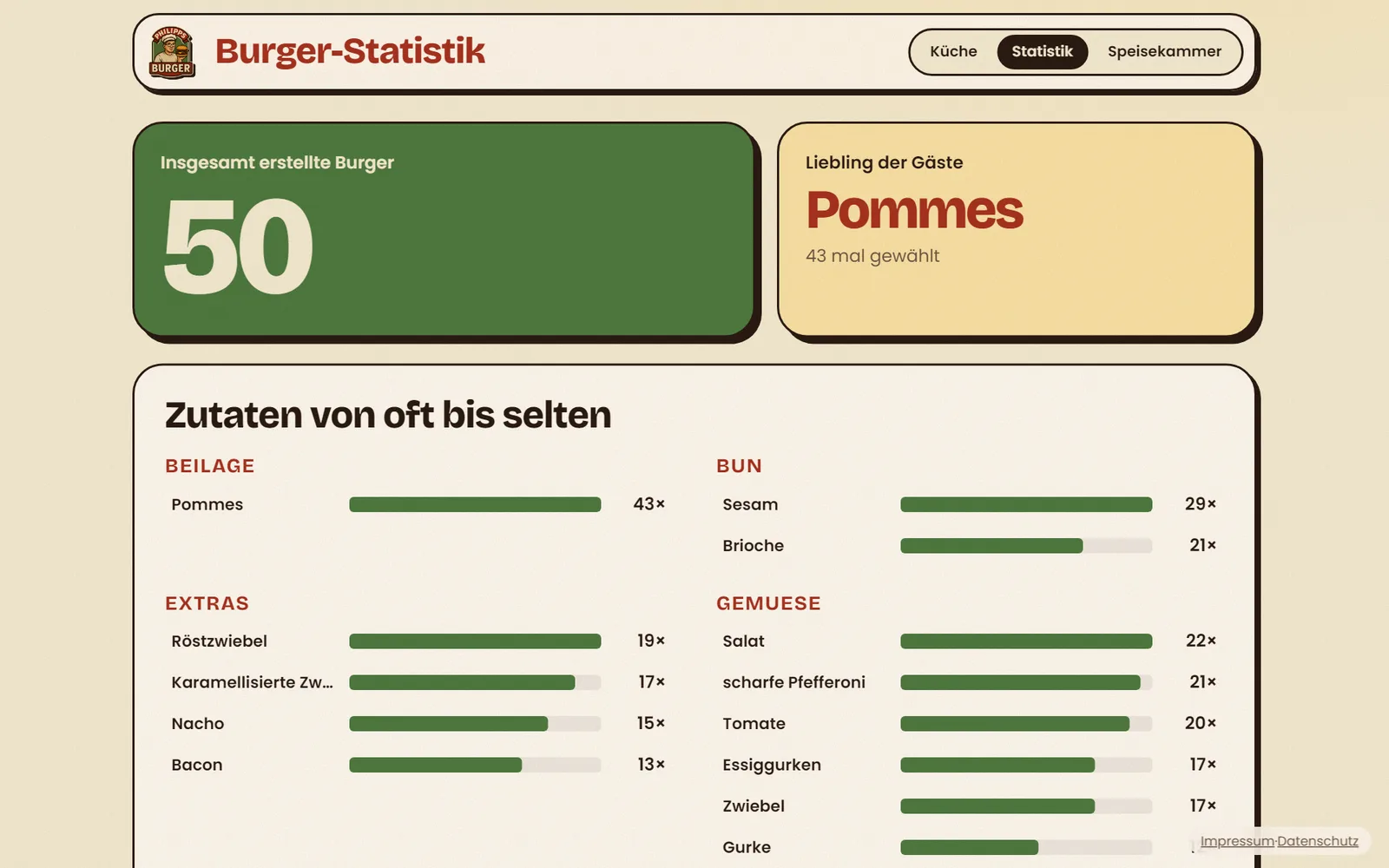
Statistik
Stats
How many burgers so far, the guests' favourite and every ingredient from most to least ordered. Handy for the shopping list next time.
Live at philippsburger.web.app/statistik (opens in a new tab)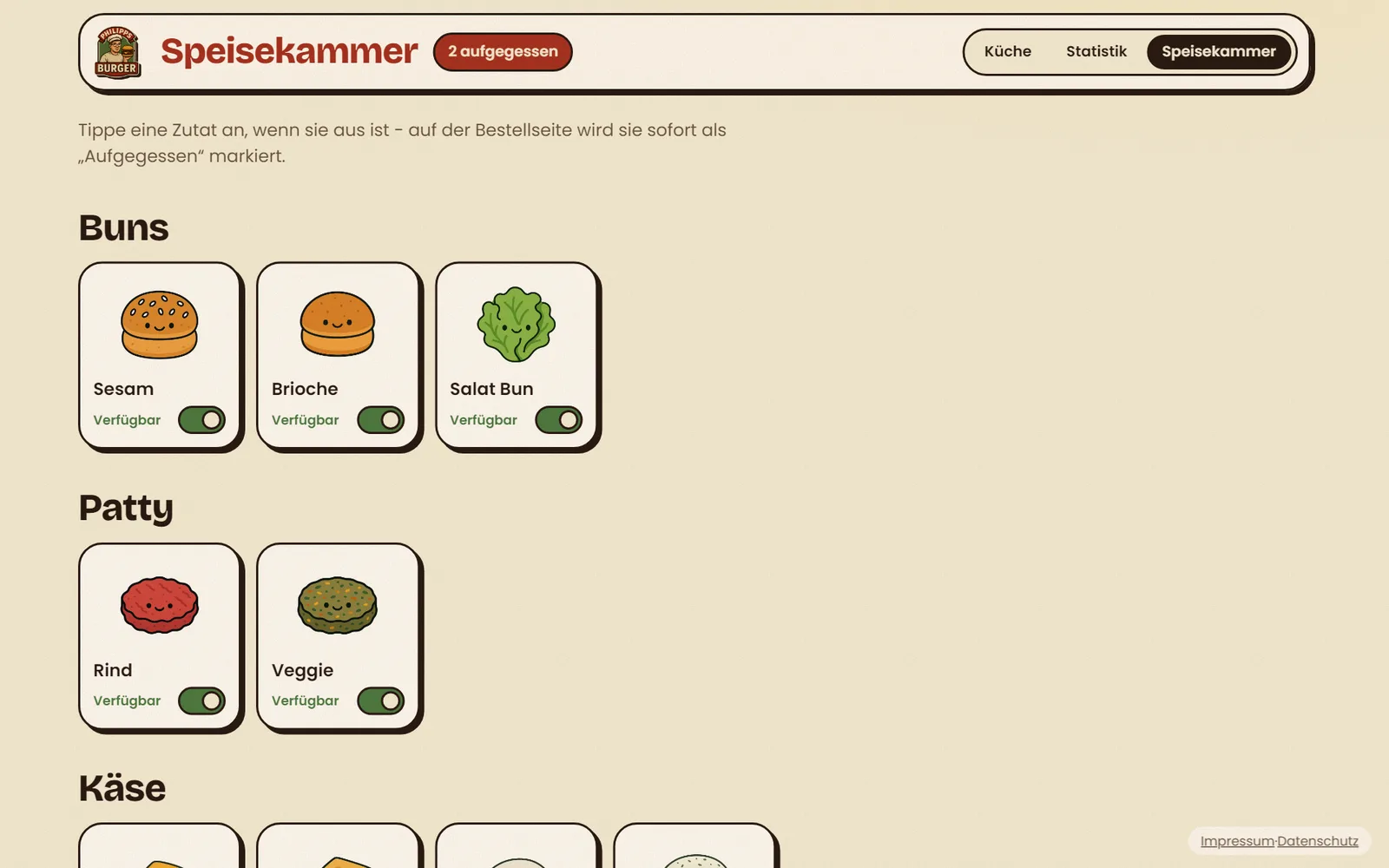
Speisekammer
Pantry
Out of avocado? One tap marks it as "aufgegessen" and the order page stops offering it.
Live at philippsburger.web.app/speisekammer (opens in a new tab)The screenshots show sample orders, the real guests stay private.
Tech stack
What's under the bun
SvelteKit & Svelte 5
One app for all four screens, written in TypeScript. Svelte keeps the live burger quick, even on older phones.
Cloud Firestore
Orders and ingredients live in Firestore. The chef's view listens in real time, so a new order shows up within a second - no refresh button.
Firebase Hosting
The app is built into static files and served from Firebase's CDN. Fast, cheap and nothing to look after on party night.
Layered images
Every ingredient is its own image slice. The app stacks them in the order you pick, so the burger on screen matches the one on your plate.
Saved in the browser
A half-built burger survives a reload or a locked phone, because the choice is kept in local storage.
The result
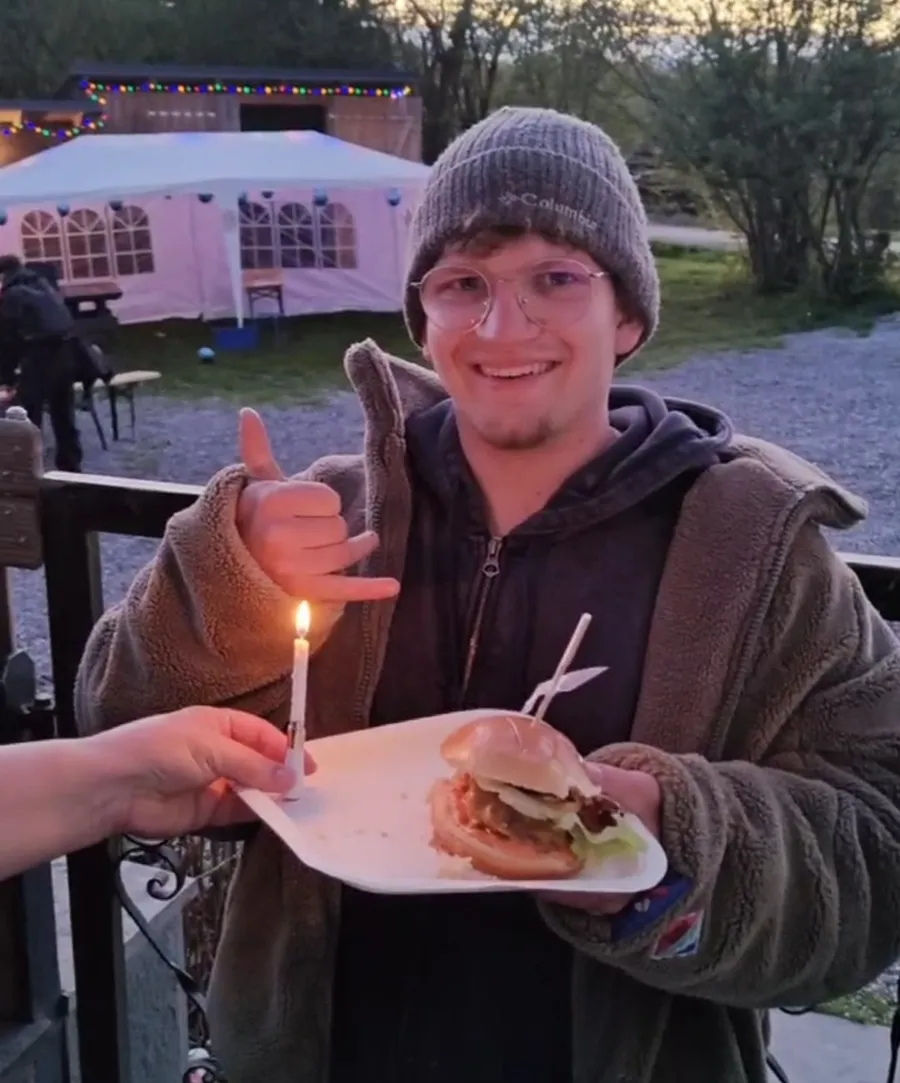
One happy brother
Not only the candle was burning - that night my passion caught fire too.
Want one too?
You can get a site like this from me.
An ordering page for your event, a booking tool for your studio, a small dashboard for your team: I build web apps like this one around exactly what you need, and they work on every phone.
And maybe, if we land a good business deal, I'll let you order a burger. 😉